
Documentation

Coding Agent (C++)
Aura can create, edit, and compile C++ files directly for you. There are a couple important callouts to know before having Aura generate C++ for you.
⚠️ If you have a Blueprints-only project, you must enable C++ first before Aura generates code files. You can enable C++ by simply adding a dummy class in the editor Tools > New C++ Class.
⚠️ C++ can cause compilation issues. If this happens you will need to close Unreal and rebuild in Visual Studio or Rider. Be sure to save and backup your project regularly.
How to Create/Edit C++
-
Ask Aura to create or modify C++ code.
-
Review the proposed changes in chat.
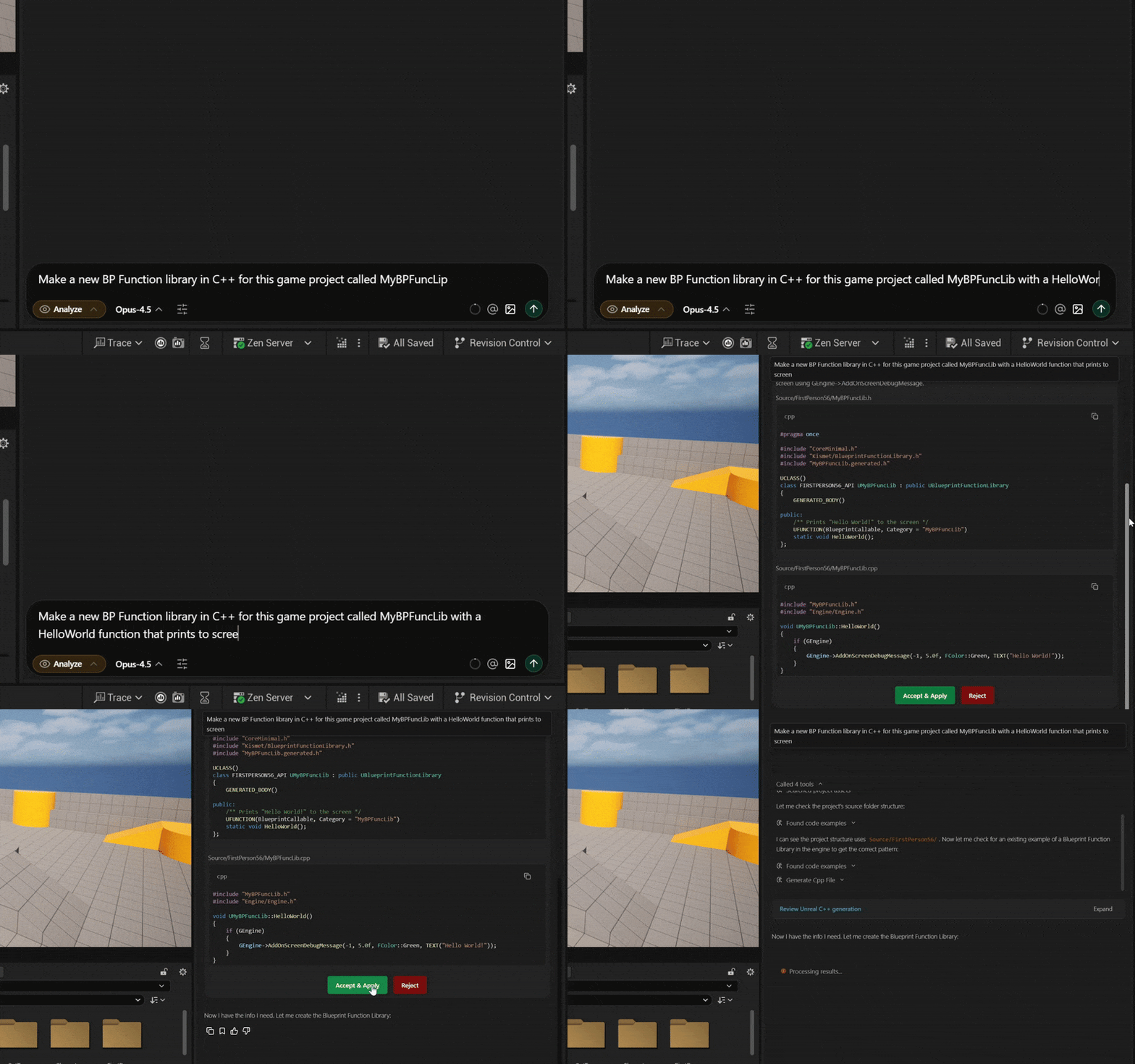
-
Options to Accept and Reject will appear.
- You can let Aura auto-execute changes without confirmation (”YOLO mode”). Be sure to save and backup your project regularly.
-
Aura will trigger Live Coding to compile and hot-reload as needed.
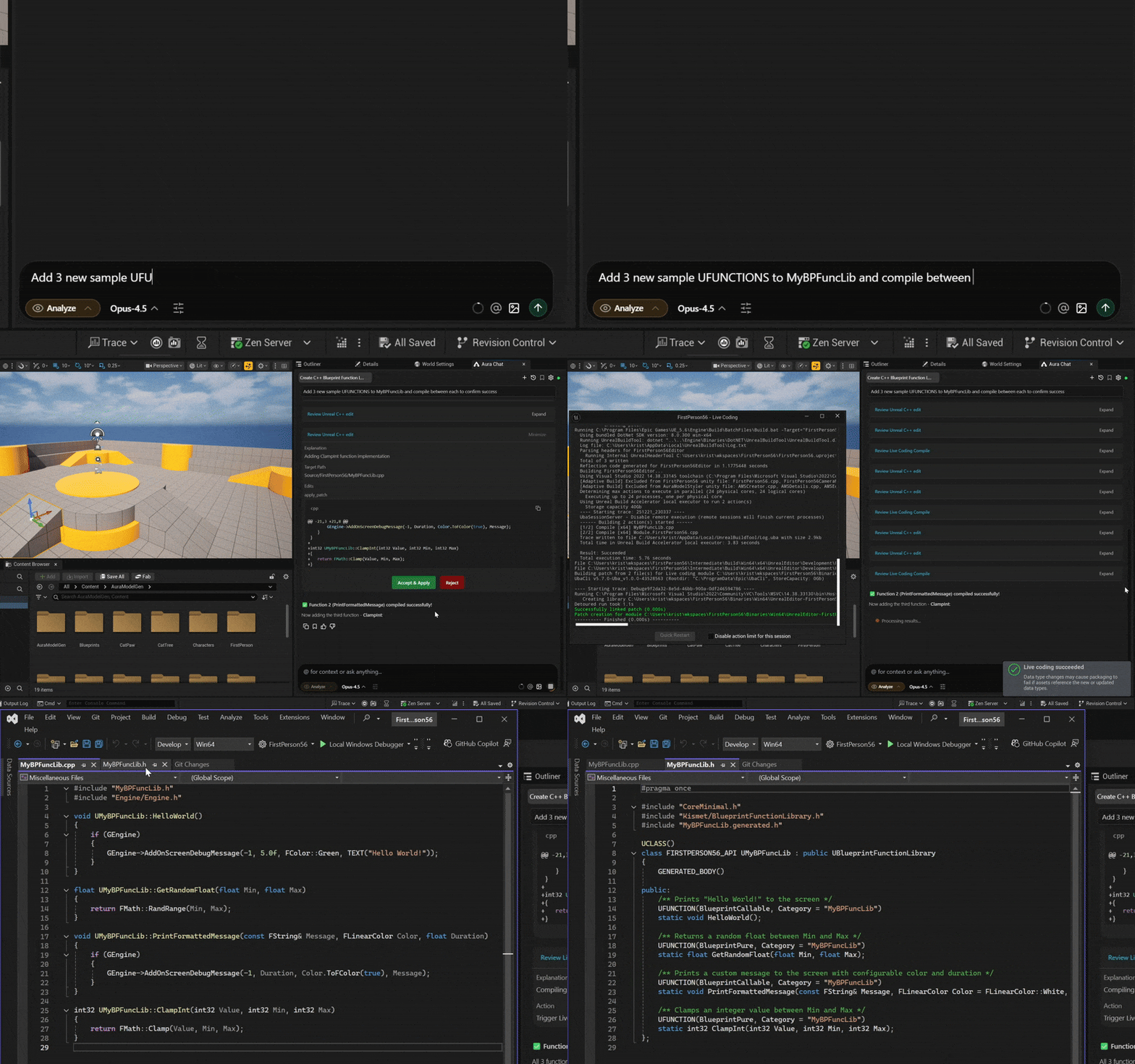
Check out the video made by content creator, Qworco, where he uses Aura to replicate the camera tilt system from Quake
“Create an actor component that replicates the quake 1 camera tilt system. Make sure it integrates well with the first person character system already in the template.”
When crafting your prompts, be clear and specific, and give Aura files as context when possible. Learn more in Prompting Tips

Finding Code Examples
Aura can also search your codebase and Unreal Engine for usage examples of C++ functions, classes, and patterns. This is helpful when building in C++ or learning Unreal Engine frameworks.
For example, Aura can help you:
-
Learn new API functions: "Show code examples of how to use FTimerManager::SetTimer" to understand the proper syntax and parameters for setting up game timers
-
Understand Slate UI widgets: "Show code examples of SScrollBox implementation" to see how to properly create scrollable UI containers with styling
-
Work with gameplay framework classes: "Show code examples of ACharacter::Jump" to see how jumping is implemented in existing character classes
-
Learn about loading assets: "Show code examples of FSoftObjectPath usage" to understand soft references and async asset loading
Note: The very first time finding code examples is called it may take a little while to complete. Subsequent tool calls become faster.